
Screen-Based Eye Strain
What does your technology do for you? Today, we can order dinner, buy concert tickets, chat with friends, play games, and even work, all from virtually any device with a screen. Smartphones, gaming consoles, computers, and tablets make our lives more convenient.
However, there are some drawbacks to increased screen time. It’s almost impossible to get away from devices at school, work, and home, and as a result, an estimated 60–65% of Americans suffer from discomfort related to digital eye strain. Too much screen time can also affect how kids’ eyes develop, linking to an increased risk of myopia (nearsightedness).
If you’re experiencing eye discomfort after staring at your screen, we can help. We’ll assess your screen habits and provide some strategies to mitigate your discomfort.
Book an appointment to find relief from digital eye strain today.
Request Appointment

Symptoms of Digital Eye Strain
There are a few common symptoms associated with digital eye strain, including:
- Dry eyes
- Headaches
- Eye strain
- Blurry vision
- Neck and shoulder pain
Often, symptoms will alleviate when you take a solid screen time break, but the discomfort returns once you’re in front of a digital device again. To find long-term relief, you’ll need to implement some prevention strategies.
It’s also important to visit your optometrist to help detect any other conditions that might affect your eye comfort.
Request AppointmentMitigating Digital Eye Strain
There are a number of things you can do to help alleviate some of the strain that can accompany digital devices. By employing various strategies in your daily life, you can make your eyes more comfortable and prevent fatigued and strained eyes after a long day in front of the computer.
Some strategies include adjusting your work area, taking intentional screen breaks, and ensuring you have sufficient lighting while using your digital device to help reduce digital eye strain. It’s also important to make sure your prescription is up-to-date, as uncorrected or undercorrected vision problems can contribute to digital eye strain.
Ergonomics
Office (or classroom) ergonomics and proper posture can help keep you comfortable while using digital devices. While you’re at your desk, be sure to sit upright with your feet flat on the floor. Your shoulders should not be rounded or hunched, and your neck should align with your torso.
Keep devices at eye level and your keyboard and mouse near enough to prevent reaching.
Remind kids to keep their backs lined up with their chairs, or imagine keeping their backs straight as a tree.
Settings
If you’re reading on your digital device, increase the font size to minimize squinting. Contrast and color tones should also be set to maximize your comfort.
Talk to your child about what font size feels most comfortable for them and help them make appropriate contrast adjustments. Keep an eye on them during screen time to make sure they aren’t squinting or holding the device too close to their face.
Lighting Levels
The light levels both in the room around you and on your device can help prevent digital eye strain. Turn down your screen’s brightness to match the lighting levels of your surroundings. If the light from the room reflects on your screen, the glare can also contribute to eye strain.
Anti-glare screens are available for your device’s display, and glasses with an anti-reflective coating can help.
Remind your kids to turn on the lights in dark rooms to avoid tired eyes.
The 20-20-20 Rule
When you’re concentrating on your work, it might be challenging to take a break, but following the 20-20-20 rule can help to relax your eyes. Every 20 minutes, look at something 20 feet away for 20 seconds. This helps give your eyes a chance to refocus, reducing strain.
Set a reminder on your phone or set up parental controls on your kid’s device for scheduled breaks and screen time limits.
Kids and Digital Eye Strain
Increased device use also means kids are spending more time indoors. The World Health Organization recommends limiting screen time for children and encouraging them to play outside instead.
Children should have regular, comprehensive eye exams to support the health of their vision, regardless of their screen time. Schedule eye exams at regular intervals to support your child’s eye health.
Take Care of Your and Your Family’s Eyes
Whether you spend your working hours on a computer or enjoy leisure time watching TV, playing video games, or checking social media, you may have experienced digital eye strain. While less time on screens is an effective way to prevent this strain, it is not always possible.
If you or your family members have been experiencing frequent digital eye strain, it may be time to discuss management options with your optometrist. They can make sure your prescription is correct and provide other advice or tools that may alleviate your symptoms. Book your appointment today.
Come Visit Us in Quincy
Visit Us
You can find us beside the R.P. Lumber on Broadway Street.
Where to park?
We have plenty of parking available in front of the clinic.
Our Address
Contact Information
- Phone: 217-228-2060
- Fax: 217-228-2066
- Email: sitevisioncenter@gmail.com
Our Hours
- Monday: 8:30 AM – 5:00 PM
- Tuesday: 8:30 AM – 5:00 PM
- Wednesday: 8:30 AM – 5:00 PM
- Thursday: 8:30 AM – 5:00 PM
- Friday: 8:30 AM – 1:30 PM
- Saturday: By Appointment Only
- Sunday: Closed
Our Services

Our Eyewear Brands
Our Brands



Our Google Reviews
Are you managing your eye allergies?
Eye Health and DiseasesWhat are eye allergies? Eye allergies occur when your eyes react to an irritant in the environment. These irritants, also called allergens, can include dust, pollen, smoke, fragrances, and pet dander, which can come from a variety of sources. When exposed to an allergen, your eyes produce a substance called histamine to fight it off, […]
Healthy Living for Healthy Eyes
Eye Health and DiseasesEveryone probably tells you to eat healthy, exercise, and spend time away from the screen. Sure, it’s good for your health, but does it help your eyes? Absolutely! Here are a few key areas of healthy living that are also essential to your healthy eyes and vision. >Healthy Diet To help keep your eyes healthy, […]
FAQ: Computer Vision Syndrome
Eye Health and DiseasesWhat is computer vision syndrome? Computer vision syndrome, or CVS, is the discomfort or symptoms caused by focusing on a computer or technological device for a long and uninterrupted time. Common symptoms include: Headaches Loss of Focus Burning Eyes Tired eyes Red Eyes Double Vision Eye Twitching Blurred Vision Neck and Shoulder Pain Commonly Asked […]
Are you managing your eye allergies?

What are eye allergies? Eye allergies occur when your eyes react to an irritant in the environment. These irritants, also called allergens, can include dust, pollen, smoke, fragrances, and pet dander, which can come from a variety of sources. When exposed to an allergen, your eyes produce a substance called histamine to fight it off, […]
Healthy Living for Healthy Eyes

Everyone probably tells you to eat healthy, exercise, and spend time away from the screen. Sure, it’s good for your health, but does it help your eyes? Absolutely! Here are a few key areas of healthy living that are also essential to your healthy eyes and vision. >Healthy Diet To help keep your eyes healthy, […]
FAQ: Computer Vision Syndrome
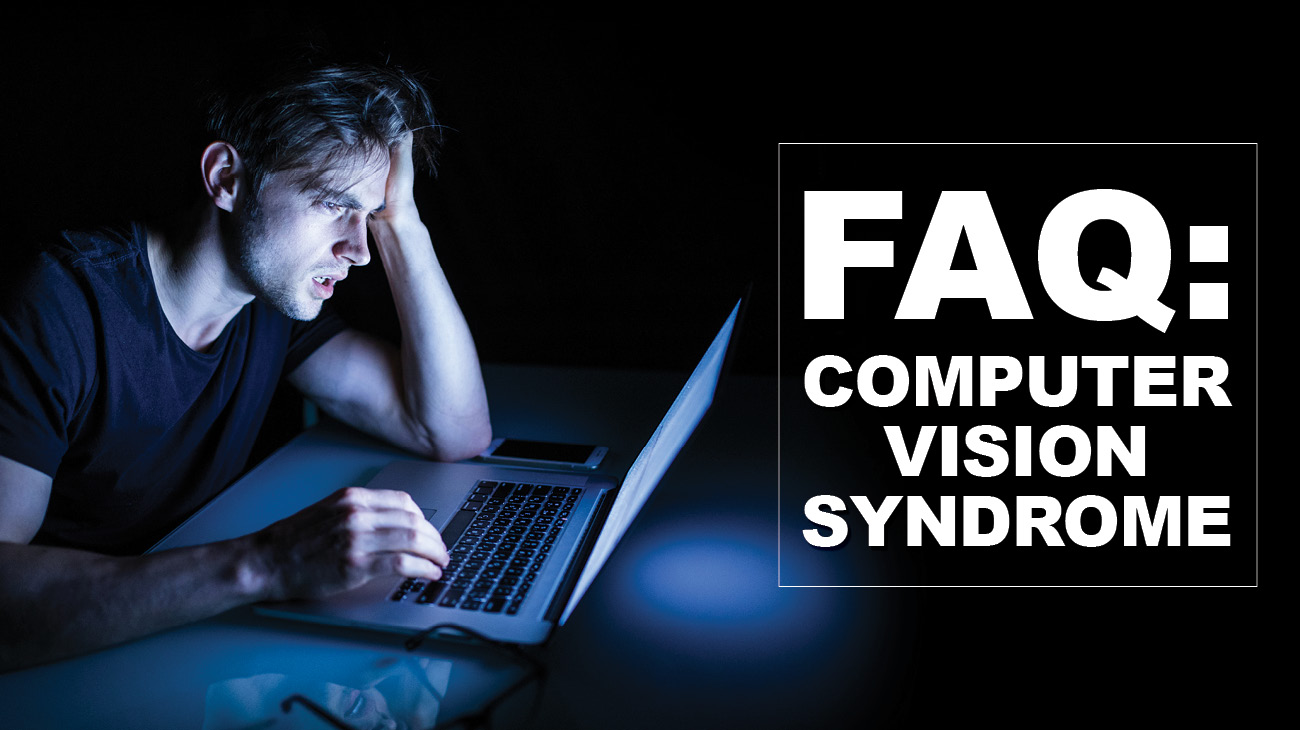
What is computer vision syndrome? Computer vision syndrome, or CVS, is the discomfort or symptoms caused by focusing on a computer or technological device for a long and uninterrupted time. Common symptoms include: Headaches Loss of Focus Burning Eyes Tired eyes Red Eyes Double Vision Eye Twitching Blurred Vision Neck and Shoulder Pain Commonly Asked […]

-
Site Vision Center
- 3236 Broadway St
- Quincy, IL 62301
-
P: 217-228-2060
sitevisioncenter@gmail.com